ATMOS MISSION3適合潛水新手嗎?從清晰讀數到第一隻自備電腦錶
ATMOS MISSION3 for New Divers: From Clear Information to Your First Personal Dive Computer
🤿 一分鐘選購結論 The One-Minute Verdict
ATMOS MISSION3值得想從租用轉為自備的休閒潛水新手考慮:1.4吋AMOLED、多方式提醒及潛水日誌,讓你建立熟悉的讀數與回顧習慣。如果你已完成入門課程,開始計劃下一次旅潛,可以先問自己三件事:畫面是否合意、提示是否容易理解,以及是否願意長期熟習同一隻錶。MISSION3值得了解的地方,不只是功能數量,而是能否把看讀數、理解提醒和潛後整理,變成自己熟悉的使用習慣。
ATMOS MISSION3 is worth considering if you are a new recreational diver moving from rental equipment to your own computer. Its 1.4-inch AMOLED, multiple alert methods, and dive logs support a familiar routine for reading information and reviewing dives. If you have completed initial training and are planning your next dive trip, begin with three questions: Does the display suit you, do the alerts make sense, and are you willing to become familiar with this computer over time? MISSION3 is worth exploring not just for its feature count, but for how its readings, prompts, and records could fit into a consistent routine.
🧳 為甚麼考慮自備?先從「熟悉同一隻錶」開始 Why Own One? Start with Familiarity
第一次上課,租用往往能讓你先接觸裝備、了解自己需要甚麼。當你決定持續潛水,自備的價值便不只是每次出發少租一件東西,而是不用反覆重新認識另一套畫面和提示,並能掌握自己的清潔、充電及保養狀態。
Rental equipment can help you learn what you need during your first course. Once you decide to continue diving, ownership offers more than one less item to rent: you can avoid repeatedly learning different screens and alerts, while overseeing cleaning, charging, and care yourself.
對MISSION3買家而言,可先從三個實際需要出發:
For a prospective MISSION3 owner, start with three practical needs:
1️⃣ 看得有方向:熟悉深度、時間、免減壓資訊放在哪裏,知道不同情況應看甚麼。
2️⃣ 提示有意思:理解上升、停留及檢查氣量等提醒,不只是聽到響聲卻不知道原因。
3️⃣ 經驗留得住:把自己的潛水日誌、剖面及有條件取得的潛點位置整理下來,方便回顧。
1️⃣ Read with purpose: Learn where depth, time, and no-decompression information appear, and what matters in different situations.
2️⃣ Understand the prompts: Know what ascent, stop, and gas-check alerts mean rather than hearing a signal without understanding it.
3️⃣ Keep the experience: Organize your logs, profiles, and dive-site locations as you acquire them, ready for later review.
連續潛水時,個人電腦亦應持續跟隨自己的潛水歷程,不與潛伴隨意交換。這是自備的另一個重要價值:它記錄的是你的使用歷程,不是旁人的。
During a series of dives, a personal computer should continue following your own exposure history rather than be casually swapped with a buddy. That is another reason for ownership: it maintains your history, not someone else's.
這亦是「Make the dive simple.」對新手較實際的意義:簡化找資料、理解提醒及整理紀錄的負擔。
That is a practical reading of “Make the dive simple.” for beginners: reducing the effort of finding information, understanding prompts, and organizing records.
1.4吋AMOLED:不同場景,知道自己該看甚麼 The 1.4-Inch AMOLED: Know What to Read in Each Situation
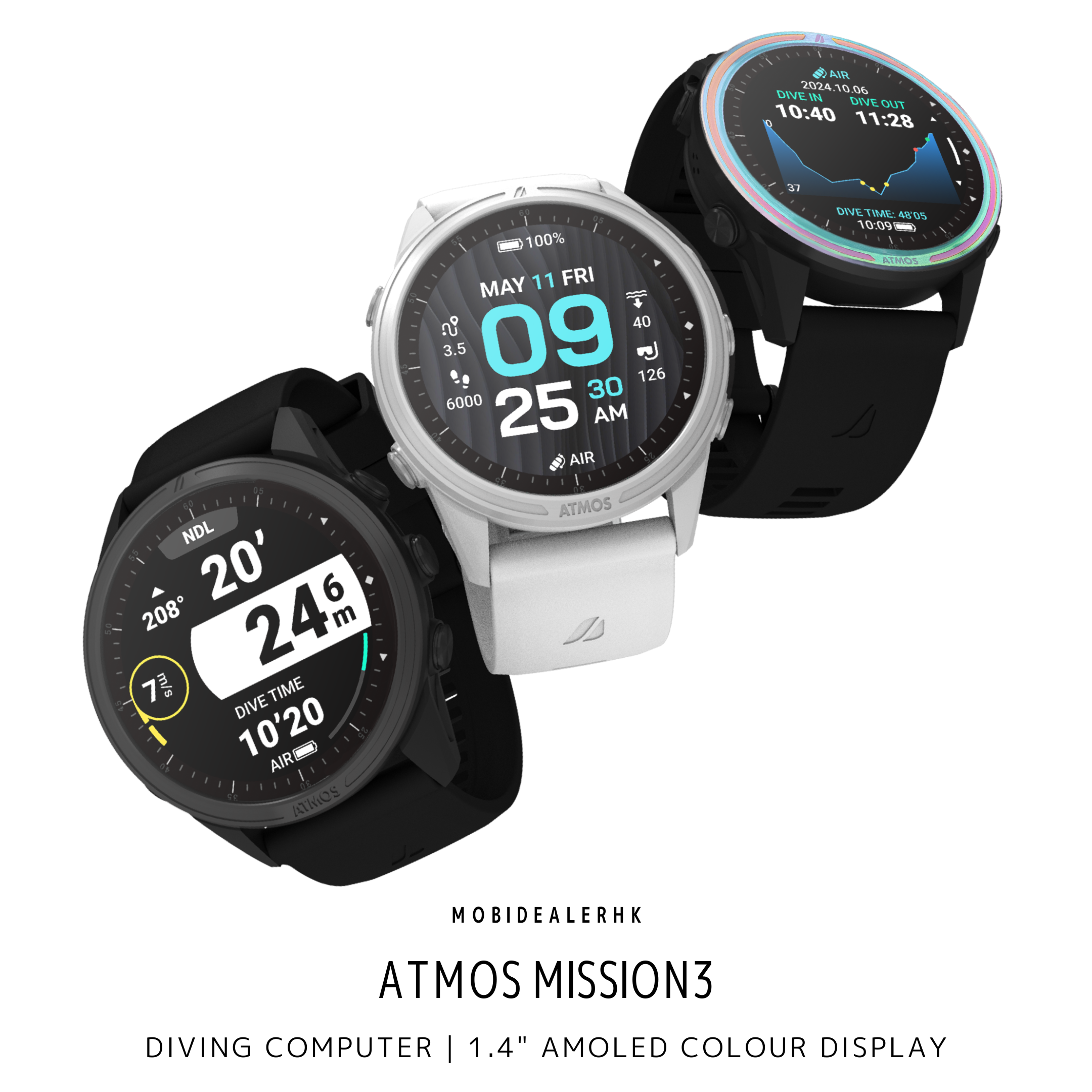
MISSION3採用1.4吋全彩AMOLED,解析度454 × 454。空氣/高氧主畫面集中安排深度、潛水時間、免減壓時間、選定氣體及電量,並提供相關方位與升降速率資訊。對新手來說,先理解每項讀數的用途,比一開始設定全部自訂欄位更有方向。
MISSION3 has a 1.4-inch full-colour AMOLED with a 454 × 454 resolution. The Air/Nitrox main screen groups depth, dive time, no-decompression time, selected gas, and battery status, alongside relevant heading and vertical-rate information. Understanding what those readings mean is a clearer starting point than configuring every custom field immediately.
下潛及沿途游動:看深度 Descending and Swimming: Watch Depth
深度告訴你現在離水面有多深。下潛時,用它對照計劃深度;游動或練習維持深度時,觀察數字是否持續變大或變小,便能察覺自己正在下沉或上浮。
Depth tells you how far below the surface you are. During descent, compare it with the planned depth. While swimming or practicing depth control, a continuing increase or decrease helps you notice downward or upward movement.
留在某個深度觀景:看免減壓時間 Exploring at Depth: Watch No-Decompression Time
看魚、欣賞珊瑚或拍照時,不只看現在多少米,也要留意免減壓剩餘時間怎樣變化。數字收窄,便要與氣量、回程及潛水計劃一併考慮,不能因為還有時間顯示便繼續停留。
While watching fish, looking at coral or taking photographs, watch how your remaining no-decompression time changes as well as your depth. A narrowing allowance needs to be considered with gas, the return journey, and the plan—not treated as permission to remain simply because a number is still displayed.
上升及安全停留:看速率、深度與倒數 Ascending and Making a Safety Stop: Watch Rate, Depth and Time
上升時看上升速率;進行安全停留時,同時看深度與倒數,知道自己是否保持在相應深度,而不是只等時間走完。MISSION3有相關畫面及提示,幫你留意這些變化。
During ascent, monitor ascent rate. During a safety stop, watch depth alongside the countdown so you know whether you are holding the relevant depth rather than simply waiting for time to pass. MISSION3 provides associated displays and prompts to draw attention to these changes.
回到船上:看潛水時間與剖面 Back on the Boat: Review Time and the Profile
潛水時間告訴你這次潛了多久;深度剖面則顯示整段的上下落。回看哪段變化較大、停留時深度是否穩定,能讓你與教練或潛導討論得更具體,不只是說「剛才好像控制得不太好」。
Dive time tells you how long the dive lasted; the profile shows vertical movement throughout. Reviewing larger changes or depth control during a stop gives you something specific to discuss with an instructor or guide, rather than only saying that part of the dive felt poorly controlled.
NDL是甚麼? What Is NDL?
NDL是「免減壓剩餘時間」,即電腦估算目前條件下還有多少免減壓時間。用盡後會進入減壓狀態,可能須履行減壓停留,不能再按原先免減壓計劃直接上水;這與一般安全停留不同。
NDL is the remaining no-decompression allowance estimated by the computer under the current conditions. Once exhausted, the dive enters decompression status and may require obligatory stops; you can no longer surface according to the original no-decompression plan. This differs from a normal safety stop.
🔔 多方式提醒:知道現在要留意哪項變化 Multiple Alerts: Know What Needs Attention
潛水時,提示的作用是讓你察覺需要注意的變化:是否升得太快、免減壓時間是否收窄,或是否到了提醒自己看殘壓錶的時間。MISSION3提供畫面、聲音及震動,讓你用不只一種方式察覺提醒。
During a dive, prompts draw attention to changes: whether you are ascending too fast, the no-decompression allowance is narrowing, or it is time to check your pressure gauge. MISSION3 provides visual, audible and vibrating alerts, offering more than one way to notice a prompt.
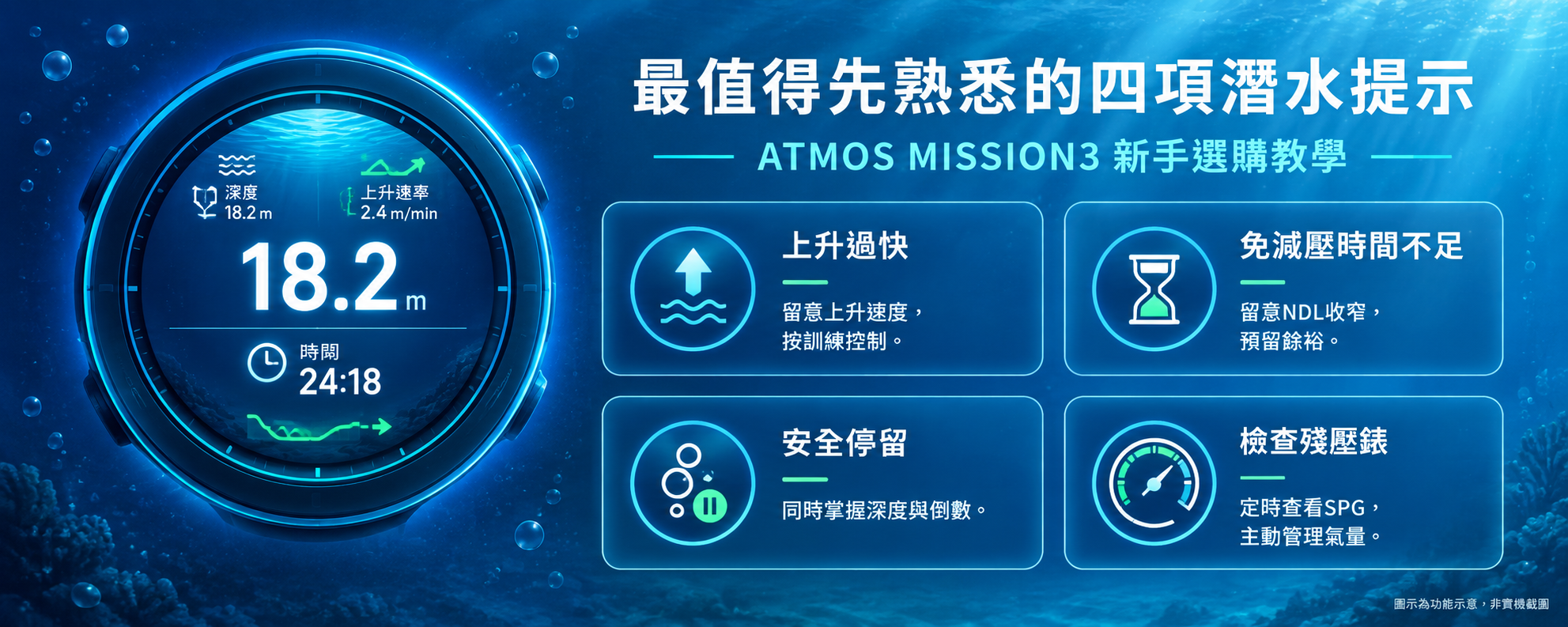
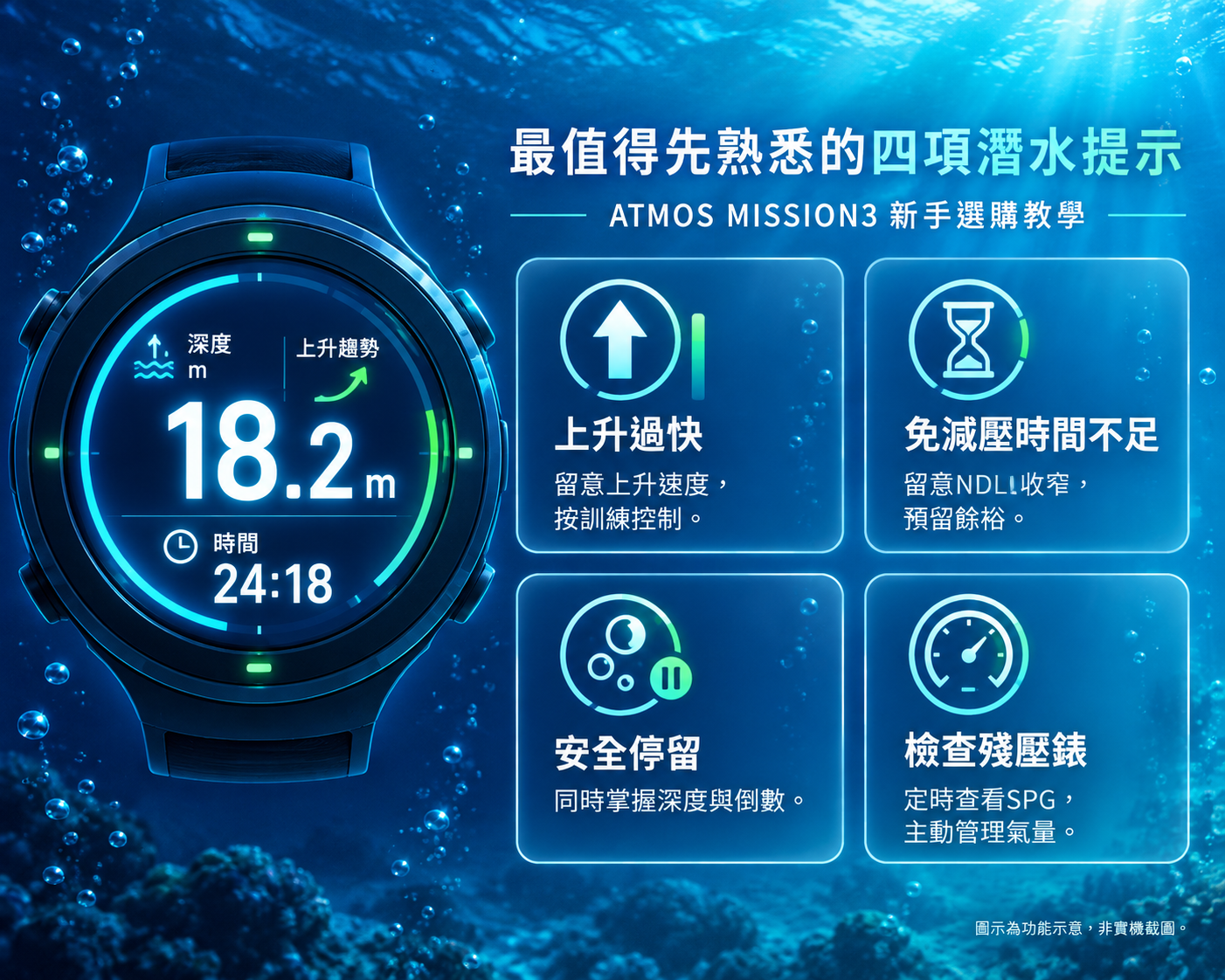
最值得先熟悉的是以下四項:
Start by learning these four:
1️⃣ 上升過快:提醒你留意速度,按已學方法控制上升。應持續監察,而不是等警報才看。
2️⃣ 免減壓時間不足:提醒可用餘裕正在收窄,與深度、實際氣量及回程計劃一起考慮。
3️⃣ 安全停留:提供停留及完成提示,方便同時掌握深度與倒數;不要與必須履行的減壓停留混為一談。
4️⃣ 檢查殘壓錶:按設定時間提醒你看氣瓶壓力錶,支持主動監察氣量的習慣;不是手錶即時接收到剩餘壓力。
1️⃣ Excessive ascent: Draws attention to speed so you can apply your training. Monitor throughout, rather than waiting for an alarm.
2️⃣ Low no-decompression time: Highlights a narrowing allowance to consider with depth, actual gas supply and the return plan.
3️⃣ Safety stop: Provides stop and completion information so you can monitor depth and time together; do not confuse it with an obligatory decompression stop.
4️⃣ Check your pressure gauge: A timed reminder supports active gas monitoring; it is not a live cylinder-pressure feed received by the watch.
顏色只是其中一條資訊線索,仍要認讀文字、數字及畫面狀態。選購時的問題應是「這些提示我是否容易理解、是否願意熟習」,而不是以為有提示便毋須自己看錶。
Colour is one cue among several; read the text, numbers, and screen state as well. When choosing, ask whether the alerts make sense to you and whether you are willing to learn them—not whether alerts remove the need to monitor the display.
想把以上功能與版本、配件及預算一起考慮,可先查看ATMOS MISSION3 商品資料;也可透過 WhatsApp 告訴我們你的訓練階段、通常怎樣潛水,以及最在意的功能。
To assess these functions alongside configurations, accessories, and budget, see the ATMOS MISSION3 product information. You can also reach us through WhatsApp for buying advice and tell us your training stage, usual diving, and priority features.
⌚ 83g含矽膠錶帶:輕便攜帶,也能平日佩戴 83g with the Silicone Band: Travel and Everyday Wear
83g已包含矽膠錶帶,選購時可以直接了解整隻錶的標示份量。輕便的實際好處,是在旅潛行李中佔用的重量不多,平日亦可考慮直接戴出門。
The 83g figure includes the silicone band, giving you the quoted weight of the complete watch. Its modest contribution to dive-trip luggage is useful, and you can consider wearing it between trips.
MISSION3除了潛水,亦有時間日期、鬧鐘、計步、睡眠紀錄,以及連接相容手機後的來電與訊息通知。天氣等資訊需要配合連線及可用資料,讓它在兩次潛旅之間仍有日常用途。
Beyond diving, MISSION3 offers time and date, alarms, step counting, sleep records, and call/message notifications when connected to a compatible phone. Weather information depends on connectivity and available data, giving it everyday uses between dive trips.
📍 GPS潛點紀錄:記住去過哪裏,也記住最精彩的一潛 GPS Site Records: Remember Where You Went and Your Favourite Dive
一趟旅潛去過幾個潛點,回家後未必記得每次在哪裏下水。MISSION3可利用水面定位記錄出入水點及儲存潛點,為日誌留下位置參考。把這些位置與自己的日誌、備註及照片對照,便更容易想起「那次見到喜歡的景物在哪裏」「哪個潛點最值得再去」。
After visiting several sites on a dive trip, remembering where every dive began can be difficult. MISSION3 can use surface positioning to record entry/exit points and store sites, adding a location reference to your records. Compare those locations with your own logs, notes, and photographs to recall where you saw something memorable or which site you would revisit.
使用時須把手錶保持在水面以上、錶面朝天,並有適當的開闊接收條件。遮蔽或干擾會影響定位,未取得訊號便不能保證有位置紀錄;它不是水下GPS導航或即時水下路線追蹤。
Keep the watch above water with its face towards the sky and suitable open reception conditions. Obstructions or interference affect acquisition, and a record is not guaranteed without a fix. This is not underwater GPS navigation or live underwater route tracking.
🧭 電子指北針:記住岸、船或回程所在的方向 The Digital Compass: Keep Shore, the Boat or the Return Direction in Mind
指北針不只在練習導航時有用。配合潛點簡報及所學方法,先確認岸邊、船隻或預定回程的方向,再用方位顯示及方向鎖定作參考,潛水時便能留意自己的朝向。
A compass is useful beyond navigation practice. Together with the site briefing and learned methods, establish the bearing towards shore, the boat, or the planned return direction, then use the heading display and bearing lock as a reference while diving.
它提供的是方向,不是自動記住船隻位置:船可能移動,沿途也可能轉彎或受水流影響,不能把單一鎖定方位當成完整回程路線。使用前須校正,並避開其他電腦錶、實體指北針、磁性及金屬物件的干擾。
It provides a bearing, not automatic tracking of the boat's location. Boats can move, and turns or currents affect the journey, so one locked bearing is not a complete route home. Calibrate before use and avoid interference from other dive computers, physical compasses, magnets, and metal.
📖 潛水日誌:買回來後,值得持續使用的學習工具 Dive Logs: A Reason to Keep Using It
最大深度及總時間只概括了一次潛水;深度剖面才讓你回顧過程中的升降。MISSION3的日誌及事件標記,可以幫你找出值得與教練或潛導討論的片段。
Maximum depth and total time summarize a dive; the profile lets you revisit vertical movement throughout. MISSION3's logs and event markers can help identify segments worth discussing with an instructor or guide.
例如回顧時可問自己:
When reviewing, ask:
1️⃣ 哪一段反覆上下移動?
2️⃣ 哪一段上升較急?
3️⃣ 安全停留期間,深度是否穩定?
1️⃣ Where did I repeatedly move up and down?
2️⃣ Where was the ascent more rapid?
3️⃣ Was depth stable during the safety stop?
這些問題把「好像控制得不太好」變成有資料可討論的經驗,亦讓自備電腦不只是一件下水時才用的儀表。
Those questions turn a vague impression of poor control into something concrete to discuss, giving your computer a role beyond displaying information underwater.
⚙️ 第一次使用:先準備常用設定 First Use: Prepare Your Everyday Settings
初次使用先完成四件事,不必為了選購便學會全部進階功能:
Start with four tasks; you do not need to master every advanced feature before choosing:
1️⃣ 語言與單位:用自己熟悉的語言及公/英制,顯示調至讀得清楚。
2️⃣ 畫面與提示:知道深度、時間及免減壓資訊放在哪裏,理解聲音、震動與畫面訊息。
3️⃣ 預設下潛模式:選好合適的常用模式,減少反覆尋找的操作。
4️⃣ 氣體與計劃參數:配合實際氣瓶、訓練及計劃確認;高氧使用須有相應訓練及氣體分析,不抄一組永久氧濃度、氧分壓或保守度。
1️⃣ Language and units: Choose familiar language and metric/imperial units, with a readable display.
2️⃣ Screens and alerts: Locate depth, time, and no-decompression information, and understand audible, vibrating, and visual prompts.
3️⃣ Default dive mode: Select an appropriate usual mode to reduce repeated menu searching.
4️⃣ Gas and planning parameters: Confirm against the actual cylinder, training, and plan. Nitrox requires appropriate training and gas analysis; do not copy a permanent oxygen fraction, oxygen partial pressure, or conservatism combination.
預設模式的好處:常用模式更容易進入 Why Set a Default? Easier Access to Your Usual Mode
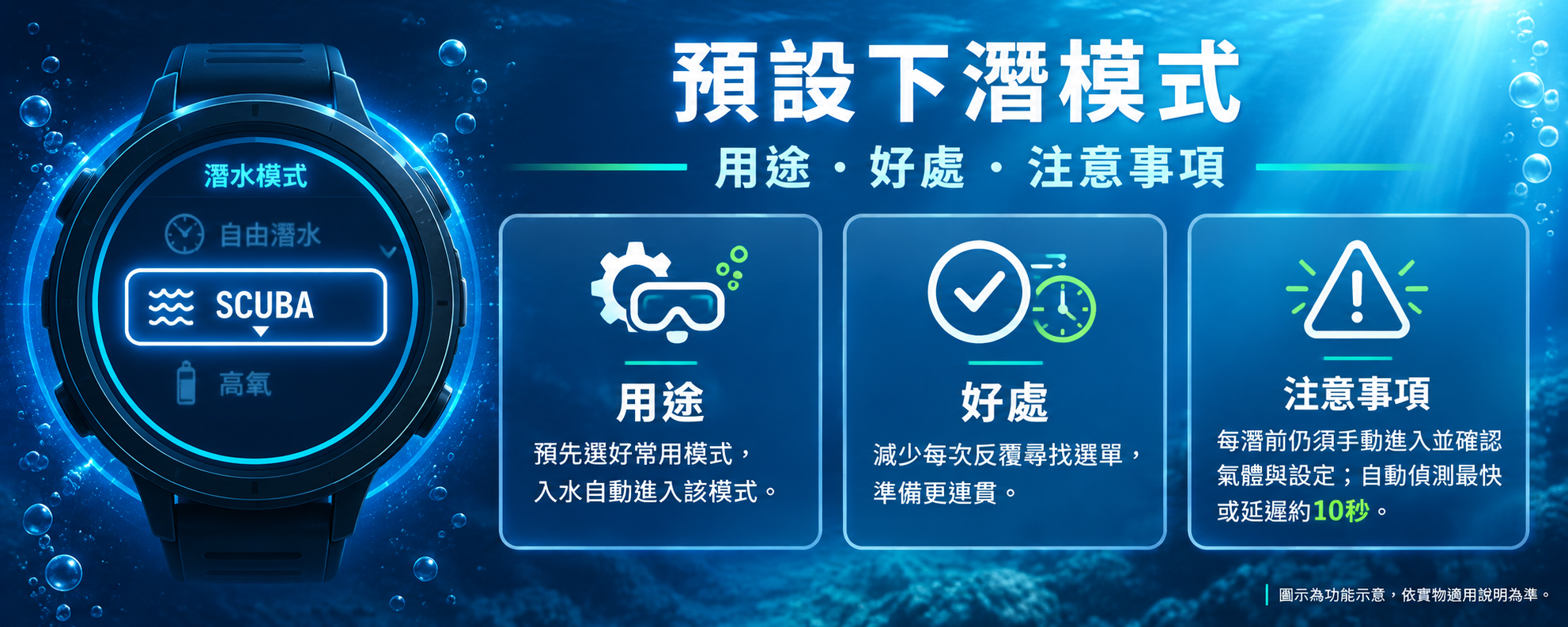
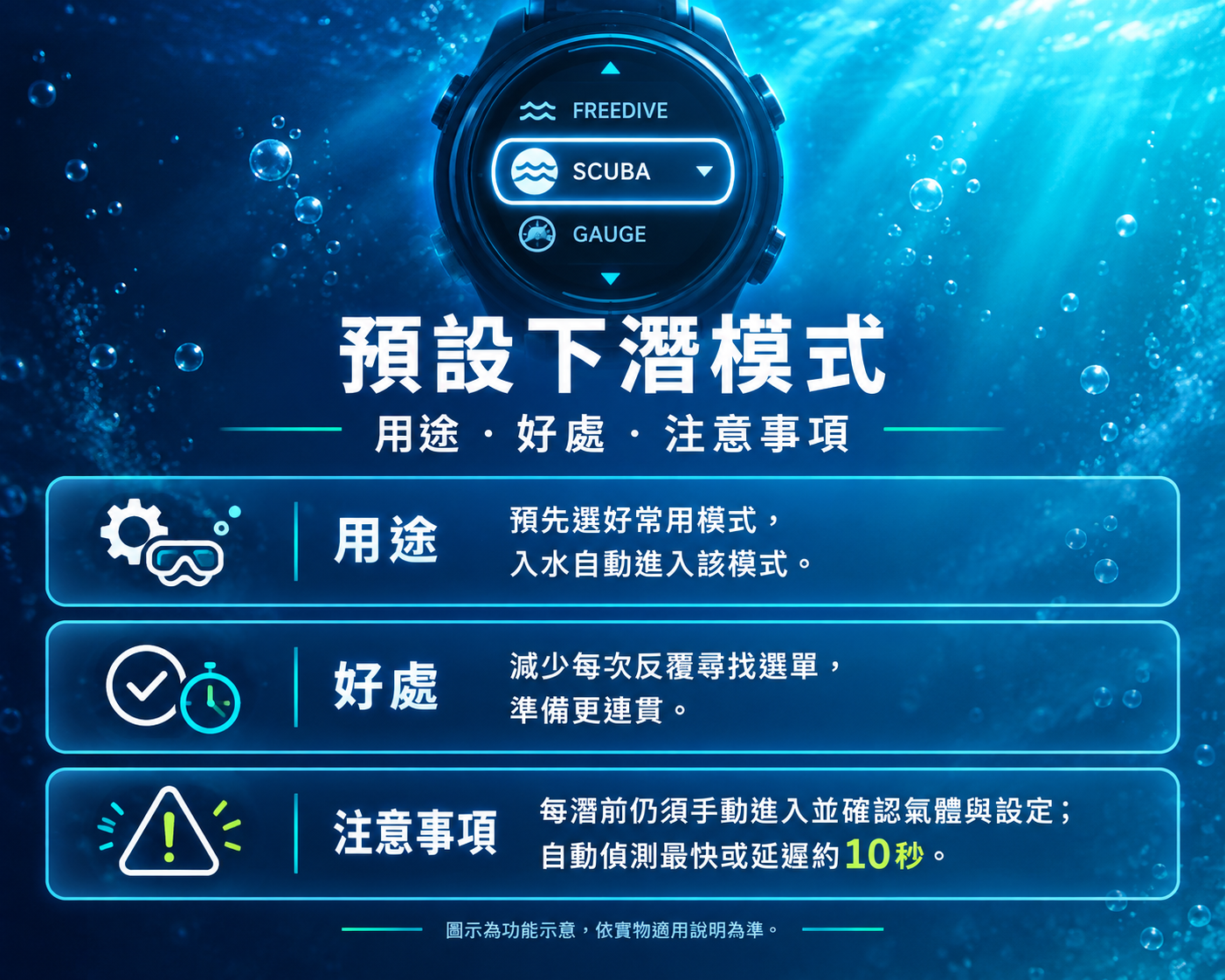
開啟預先下潛模式是指預先設定好的下潛模式,當功能且下水達到指定深度時,電腦錶會自動啟動該模式。
The default dive mode on the ATMOS MISSION 3 refers to the Auto-Start Dive function. When this function is enabled, the dive computer will automatically launch your pre-selected dive mode once it detects you have submerged past a specific depth.
每次下潛前仍要手動進入正確模式,看看模式與氣體是否適合當次潛水。自動水壓偵測可能有最多10秒的延遲,因此建議把自動啟動當作輔助之用。
Before each descent, manually enter the correct mode and check that the mode and gas suit the dive. Automatic pressure detection can have a delay of up to 10 seconds; it is recommended to use it as assistance.
❌️ 勿誤用儀錶模式 Avoid an Unintended Gauge Selection
儀錶模式提供深度及水底計時等資訊,沒有一般減壓運算、免減壓剩餘時間及相關停留提醒。
Gauge provides depth and bottom-time information without normal decompression calculations, remaining no-decompression time or associated stop prompts.
🧼 潛後保養:清潔、乾燥,再充電 After-Dive Care: Clean, Dry, Then Recharge
1️⃣ 淡水清潔:潛後浸泡淡水,並按壓按鍵數次,不用溶劑或清潔劑。
2️⃣ 乾燥後充電:先擦乾充電接點,再用適用於MISSION3的配件充電。
3️⃣ 避免高溫與撞擊:不要暴曬、放在高溫車內、碰撞或承受重壓,也不用於蒸氣室及溫泉。
4️⃣ 長期不用:每兩個月充飽後關機,存於陰涼、乾燥、無塵及避開陽光的位置,避免電池長期耗盡。
5️⃣ 電池與維修:交由ATMOS或授權維修中心,不自行拆殼、鎖緊或移除螺絲。
6️⃣ AMOLED 要避免長時間高亮靜態畫面。
1️⃣ Freshwater cleaning: Soak after diving and press the buttons several times, without solvents or cleaning agents.
2️⃣ Dry before charging: Dry the contacts before attaching the applicable MISSION3 charging accessory.
3️⃣ Avoid heat and impacts: Avoid prolonged sun exposure, hot vehicles, impact and heavy pressure, as well as steam rooms and hot springs.
4️⃣ Storage: When unused, fully charge every two months and then switch off. Store somewhere cool, dry, dust-free and away from direct sunlight; avoid prolonged battery depletion.
5️⃣ Battery and service: Leave servicing to ATMOS or an authorized centre; do not open the case, tighten or remove screws yourself.
6️⃣ Avoid prolonged high-brightness static images on the AMOLED.
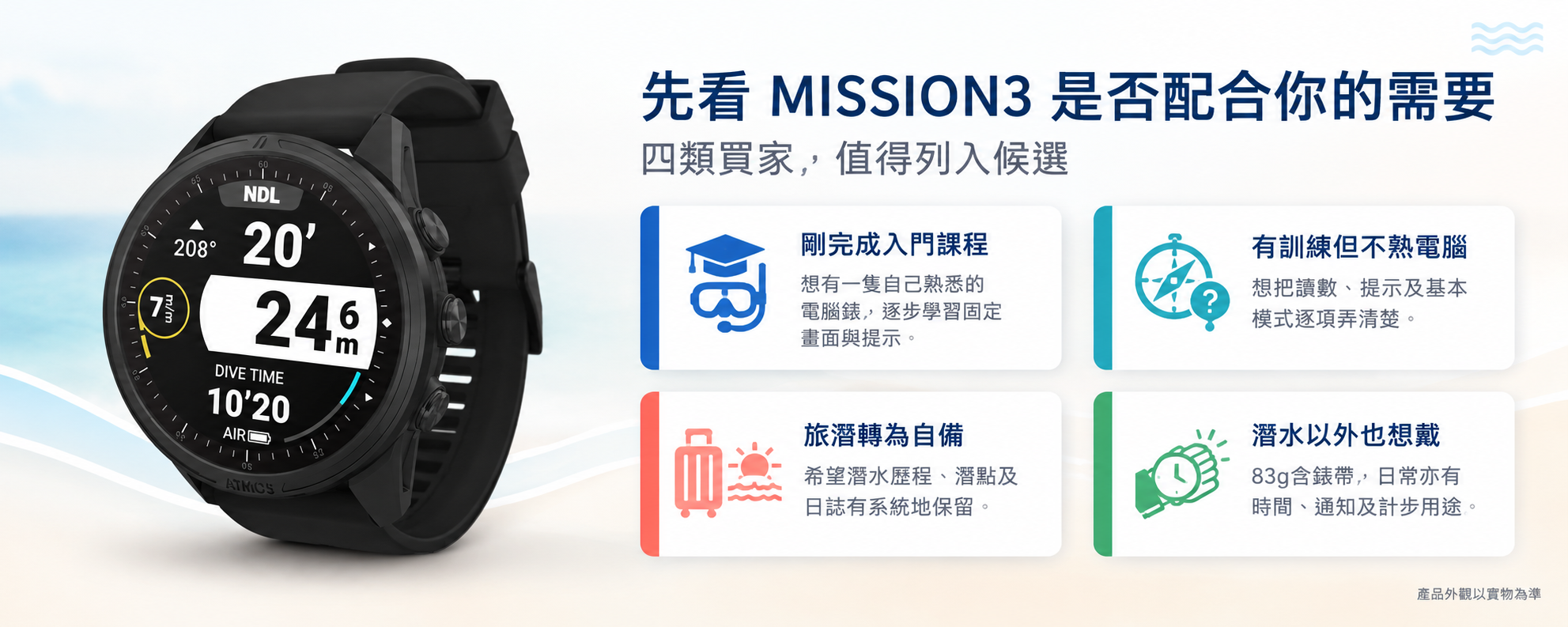
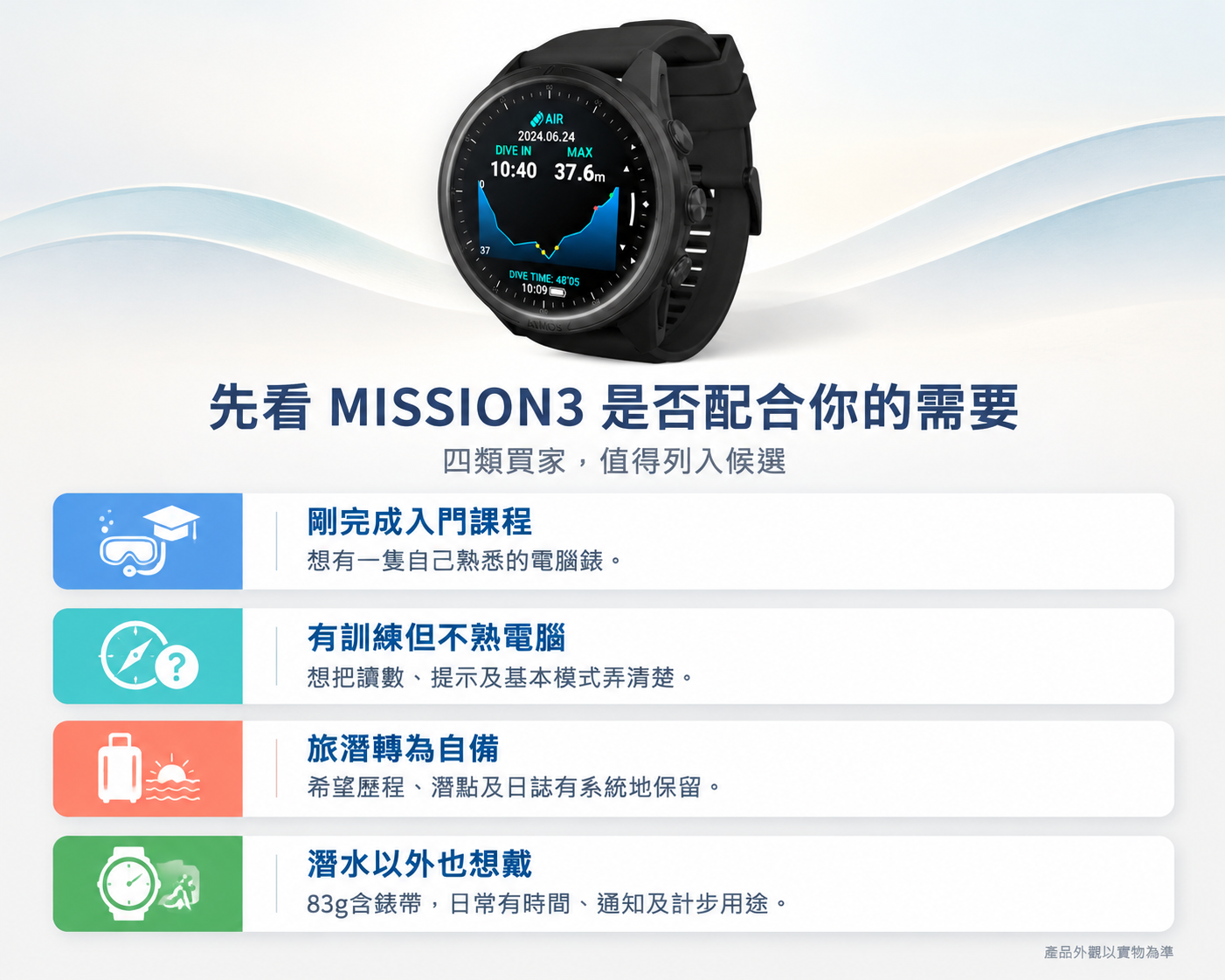
✅ 最後怎樣決定?先看MISSION3是否配合你的需要 Making Your Decision: Does MISSION3 Fit Your Needs?
不用因為自己是「新手」,便只選功能最少的一款;也不用為可能永遠用不到的進階功能買單。先看它能否配合你目前的閱讀、操作及記錄習慣。
Being a beginner does not mean you must choose the fewest features, and possible future needs do not justify paying for functions you may never use. Start with your current reading, operating and recording preferences.
以下幾類需要,值得把MISSION3放入候選:
MISSION3 is worth shortlisting for these needs:
✔️ 剛完成入門課程,想有一隻自己熟悉的電腦錶:重視固定的畫面與提示,願意逐步學習使用。
✔️ 已有進階休閒訓練,但不熟悉潛水電腦操作:想把重要讀數、提示及基本模式逐項弄清楚,而非只追求最多功能。
✔️ 打算持續旅潛、從租用轉自備:希望自己的歷程、潛點及日誌更有系統地保留。
✔️ 希望潛水以外也會戴:看重83g含帶份量,以及時間、通知、計步等日常用途。
✔️A first personal computer after initial training: You value familiar screens and alerts and are willing to learn them over time.
✔️ Further recreational training but limited computer familiarity: You want to understand readings, prompts, and basic modes rather than simply maximize feature count.
✔️ Continuing dive travel and moving from rental to ownership: You want consistent personal history, site records, and logs.
✔️ A watch to wear between trips: You value the 83g weight including the band and everyday time, notification, and step-counting functions.
💬 常見問題 FAQ
Q:剛完成入門課程,MISSION3值得考慮嗎? Is MISSION3 Worth Considering After Initial Training?
如果打算持續休閒潛水,重視彩色讀數、多方式提醒、日誌及日常佩戴,可以列入候選。先看顯示與操作是否合意,再按預算及配件需要決定。
If you plan to continue recreational diving and value colour information, multiple alert methods, logs and everyday wear, it is worth shortlisting. Assess the display and controls, then decide by budget and accessory needs.
Q:還未學潛水,要先買嗎? Should I Buy Before Training?
不用急買。先了解課程提供或安排租用的裝備,體驗後再決定;毋須購錶亦可查詢課程。
There is no need to rush. Establish course equipment or rental arrangements and decide after the experience. You can enquire about training without buying a watch.
Q:預設模式選好,之後就不用再理會嗎? Can I Leave the Default Mode Alone Once Selected?
不是。預設使用上更為方便,但每次下潛仍須確認模式及當次氣體;自動啟動也可能有偵測延遲。
No. A default makes you more convenient, but confirm the mode and gas before each dive. Automatic activation can also have a detection delay.
Q:旅潛期間怎樣安排充電? How Should I Charge It on a Dive Trip?
建議每天潛後清潔、擦乾充電接點,再按需要補電,準備翌日行程。
After each day's diving, clean the watch, dry the charging contacts, and top up as needed for the next day.
Q:83g包含錶帶嗎?可以平日戴嗎? / Does 83g include the Band, and Can I Wear It Every Day?
包含矽膠錶帶;時間、鬧鐘、計步、睡眠及相容手機通知讓它有日常用途。佩戴是否舒服,仍須看錶面與錶帶的配合。
Yes, the silicone band is included. Time, alarms, steps, sleep records, and compatible-phone notifications give it everyday uses. Comfort still depends on case and band fit.
Q:潛點紀錄可以幫我記住甚麼? What Can Site Records Help Me Remember?
配合成功取得的水面位置、日誌及自己的備註,可回顧在哪裏潛、哪個潛點最喜歡。
With a successful surface fix, logs and your notes, you can remember where you dived and which sites you enjoyed most.
Q:指北針會自動帶我回到船邊嗎? Will the Compass Automatically Lead Me Back to the Boat?
不會自動追蹤船的位置。它提供方位及鎖定方向參考,應配合潛點簡報與導航技巧,船位、水流及沿途轉向仍須考慮。
It does not automatically track the boat's location. It provides bearings and a locked-heading reference to use with the briefing and navigation skills, taking boat position, currents, and turns into account.
Q:提醒看殘壓,是否代表手錶知道剩餘氣量? Does the Pressure-Gauge Reminder Mean It Knows My Remaining Gas?
不是。它是定時提醒你看壓力錶,並非無線氣瓶壓力整合。
No. It is a timed prompt to read your pressure gauge, not wireless air integration.
Q:潛後怎樣清潔,何時可以充電? How Do I Clean It and When Can I Charge?
淡水浸泡並按壓按鍵數次,不用清潔劑;充電接點先擦乾,再接適用配件。每日潛後可順便安排充電。
Soak in freshwater and press the buttons several times, without cleaning agents. Dry the contacts before attaching the applicable charging accessory; use the post-dive routine to plan your daily top-up.
👇 即時訂購 Order Online Now 👇
🚚 MobiDealerHK 全店享京東快遞派送,全港免運費(電腦、顯示屏、投影機、抽濕機及大型家電等大件商品除外,大件商品另設安全專線物流)。
🚚 MobiDealerHK offers free JD Express delivery across Hong Kong, excluding oversized goods such as computers, monitors, projectors, dehumidifiers, and large appliances, which use separate logistics arrangements.
🤿 想開始學潛水,或了解下一步訓練? Thinking About Learning to Dive or Continuing Your Training?
MobiDealerHK 創辦人同時具備 SDI 水肺潛水教練資格。無論你未接觸過潛水,或希望了解後續休閒潛水訓練,都可透過 WhatsApp 查詢課程內容、費用,以及平靜水域與開放水域訓練安排。
The MobiDealerHK founder is also an SDI scuba instructor. Whether you have never dived or want to discuss further recreational training, contact us via WhatsApp for course content, fees, and confined-water and open-water training arrangements.
課程與硬體購買分開處理,毋須購買電腦錶或其他商品亦可查詢。
Courses are handled separately from hardware purchases. No dive computer or other product purchase is required to enquire.
延伸閱讀與相關分類 Related Guides and Categories
最後更新 / Last updated: 2026 年 11 月 / November 2026