所有貨品(電腦、顯示屏、投影機、掃地機器人除外)免運費(僅適用於京東物流) FREE Delivery (Only Applicable to JD Logistics) for ALL products (Except Computers, Displays, Projectors and Vacuums)

MobiDealerHK | 香港三防手機・智能手機・平板電腦批發零售

Unihertz Titan 2 Elite 深度解析:實體 QWERTY 鍵盤在 5G 時代還值得買嗎?

Unihertz Titan 2 Elite Review: Does a Physical QWERTY Keyboard Still Make Sense in the 5G Era?

一分鐘選購結論:這部機值不值得買? The Verdict: Is It Worth It?

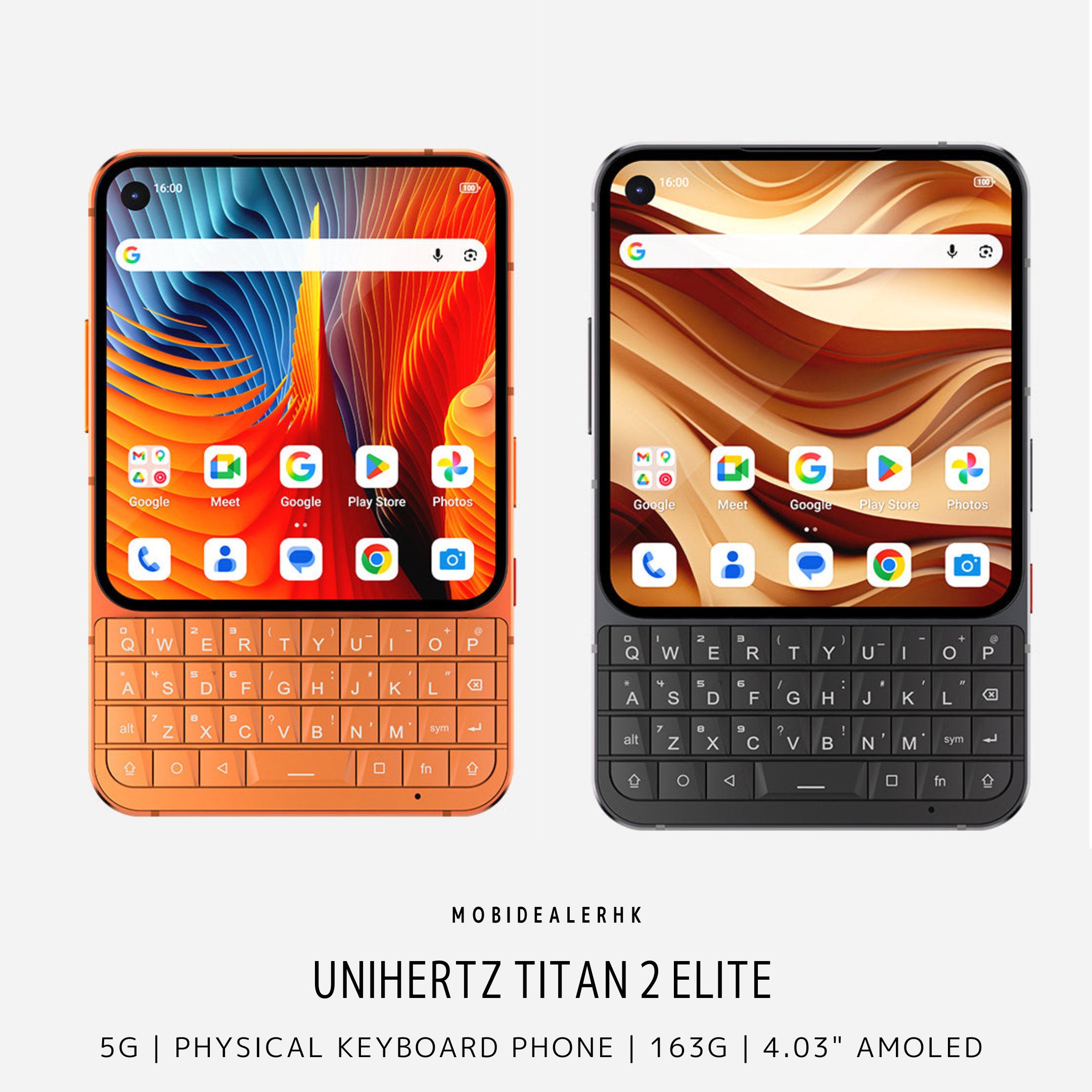
Unihertz Titan 2 Elite 是專為高頻文字輸入與專注商務工作打造的 5G 鍵盤手機,徹底推翻了以往鍵盤機笨重、效能落後的刻板印象。 它在僅重 163g、厚度 10.4mm 的航天級 CNC 鋁合金機身內,整合了觸感細膩的 QWERTY 背光電容鍵盤、4.03 吋 120Hz AMOLED 螢幕與主流聯發科天璣 7400 處理器。如果你每天需要透過 Email、WhatsApp 處理大量文字通訊,渴望找回實體鍵盤的盲打手感與零誤觸效率,這部機能大幅提升你的行動辦公速度;但如果你習慣用手機打 3D 大型手遊、追劇或依賴全螢幕觸控手勢,4.03 吋螢幕的空間限制與缺乏 3.5mm 耳機孔將會是不可忽視的硬傷。 The Unihertz Titan 2 Elite is a dedicated 5G productivity smartphone built for high-volume typing and focused business communication, decisively dismantling the stereotype that physical keyboard phones must be clunky and underpowered. Within an aerospace-grade CNC aluminum chassis weighing just 163g and measuring 10.4mm thin, it pairs an ergonomic backlit QWERTY capacitive keyboard with a sharp 4.03-inch 120Hz AMOLED display and a capable MediaTek Dimensity 7400 processor. For professionals drafting extensive emails, responding to client messages on WhatsApp, or seeking tactile, typo-free muscle memory, this handset significantly accelerates mobile workflow. However, if your daily phone habits revolve around graphic-intensive 3D gaming, widescreen media consumption, or expansive edge-to-edge gestures, the compact 4.03-inch display and lack of a 3.5mm headphone jack remain distinct physical constraints.

商務實戰場景:點解實體按鍵打字依然無可取代? The Mobile Typing Experience

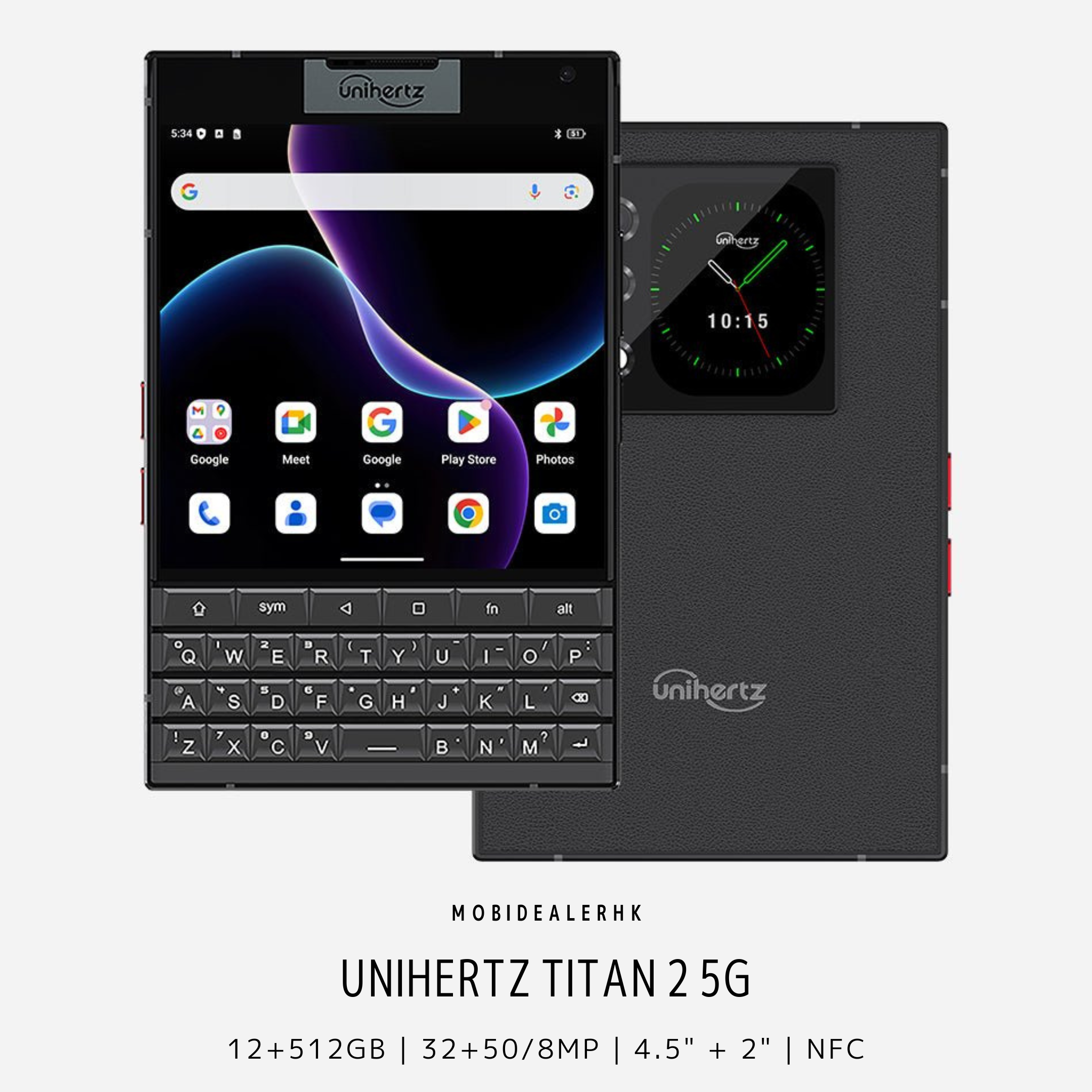
Unihertz Titan 2 Elite 解決了現代全螢幕手機在顛簸環境下極易打錯字的痛點。 無論是在晃動的港鐵車廂、步履匆匆的街頭,抑或是燈光昏暗的會議室,虛擬鍵盤總是難以提供確認感;Titan 2 Elite 的微斜切面實體鍵提供清晰俐落的按壓行程,讓雙手大拇指能迅速建立肌肉記憶。更獨特的是,整個實體鍵盤表面具備電容觸控感應功能,用家只需在鍵盤上輕輕上下滑動即可捲動網頁與郵件,游標也能精準定位,手指完全無須遮擋螢幕畫面。 The Unihertz Titan 2 Elite directly addresses the frustration of touchscreen typos when typing on the move. Whether standing inside a crowded MTR carriage, walking between meetings, or replying in low-light conference rooms, flat glass lacks the tactile feedback necessary for confident input. The Titan 2 Elite's contoured, beveled keys provide a satisfying mechanical click that restores true thumb typing speed. More impressively, the entire keyboard doubles as a capacitive trackpad: swiping up or down across the physical keys smoothly scrolls through web pages and documents, allowing precision cursor placement without obscuring on-screen content with your fingers.

核心規格與實際意義 Key Specs: What the Numbers Actually Mean

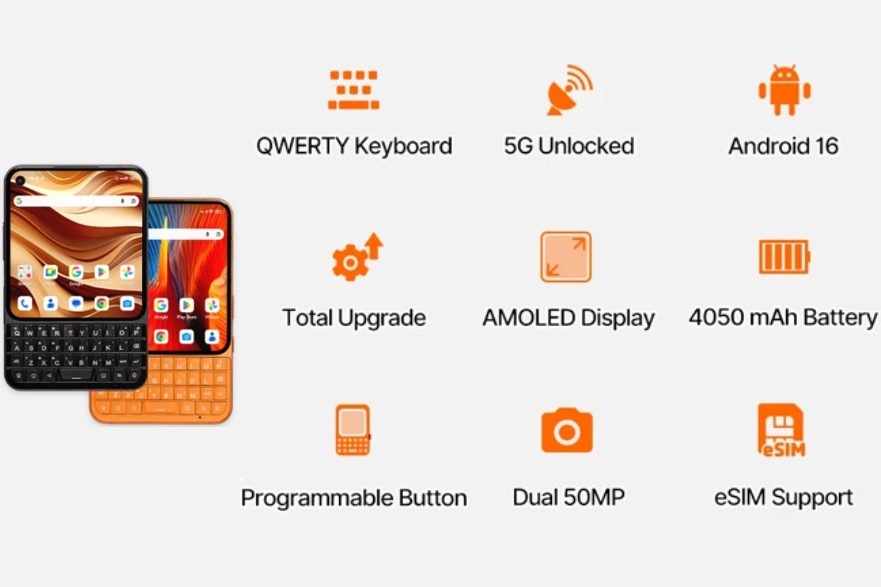
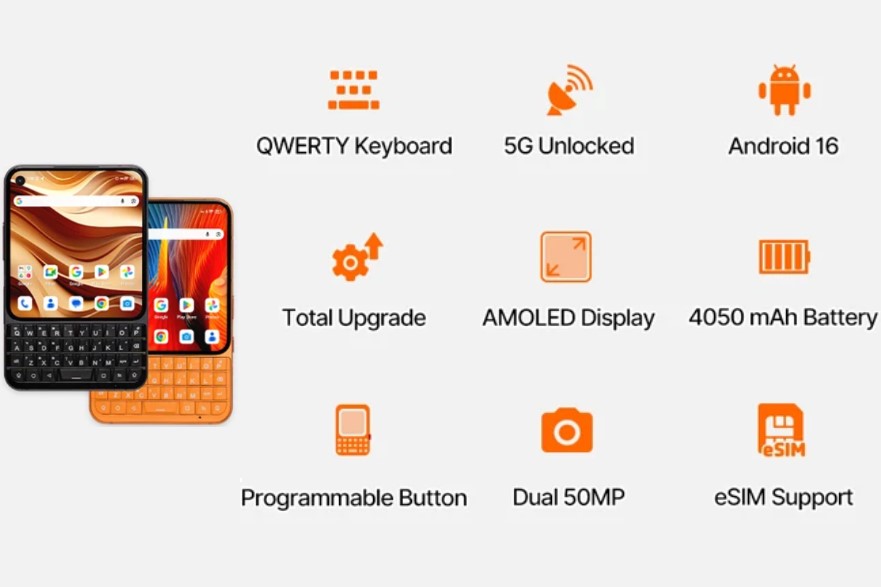
4.03 吋 120Hz AMOLED 螢幕 (1080 x 1200 解像度): 徹底告別以往鍵盤機粗糙的低階 LCD 面板,高更新率與高對比度確保文字邊緣銳利清晰,戶外陽光下查閱合約依然毫不費力。 4.03" 120Hz AMOLED Display (1080 x 1200 Resolution): Replaces the dull, low-resolution LCDs of previous keyboard phones with vibrant colors and fluid 120Hz motion, rendering small text sharp and legible even under harsh outdoor glare. 具備電容觸控與 26 個自訂捷徑的背光 QWERTY 鍵盤: 除了打字手感,每個字母鍵均可長按或短按設定為專屬快捷鍵(例如長按「W」直接打開 WhatsApp、「M」打開 Gmail),將應用切換效率推向極致。 Backlit Capacitive QWERTY Keyboard with 26 Assignable Shortcuts: Beyond tactile input, every letter key can be programmed for short or long-press shortcuts (e.g., hold 'W' for WhatsApp, 'M' for Gmail), enabling instant app navigation without touching the screen. 163g 重量、10.4mm 厚度與 CNC 陽極氧化鋁合金機身: 相比過往 Titan 系列動輒超過 300g 的磚頭負擔,Elite 版本成功瘦身近一半,單手握持或放入口袋毫無下墜感。 163g Ultra-Light Weight & 10.4mm Profile with CNC Anodized Aluminum: Sheds nearly half the weight compared to previous bulky 300g+ Titan models, offering effortless one-handed pocketability without sacrificing structural rigidity. 4,050mAh 電池 + 33W 快速充電: 配合較小尺寸的省電 AMOLED 螢幕與高能效 4nm 製程天璣晶片,能輕鬆支撐超過一整天的密集商務通訊,晚間回家仍有充裕電量。 4,050mAh Battery with 33W Fast Charging: Paired with an energy-efficient 4.03-inch display and modern 4nm processing architecture, it comfortably powers through a full day of heavy messaging and email tasks with battery to spare.
Mobile image

💡 想了解最新售價與詳情?

鍵盤觸控與輸入體驗深度拆解 In-Depth Keyboard Analysis

實體鍵盤配合電容觸控技術,讓 Titan 2 Elite 成為現代最高效的口袋文字工作台。 鍵盤手感清脆、按鍵間距適中,即使雙手手掌較大也能迅速適應;在系統設定中開啟「捲動助理」後,鍵盤即可充當虛擬 Trackpad,在編輯長篇 Word 或 Google Docs 時,游標定位遠比手指在螢幕上反覆點選精準得多。相機部分配備 5,000 萬像素主鏡頭與 5,000 萬像素長焦鏡頭,出差時拍攝白板會議紀錄或文件掃描清晰可靠;前置 3,200 萬像素鏡頭則確保視像會議畫面細緻。 The combination of tactile hardware keys and capacitive touch sensitivity transforms the Titan 2 Elite into a uniquely productive pocket workstation. Key travel is distinct and tactilely responsive, engineered with slight bevels that minimize adjacent mis-presses even for users with larger hands. When enabling the native "Scroll Assistant," the keyboard functions like a physical trackpad, making in-line text editing, cursor adjustments, and document reviewing far more precise than tapping repeatedly on glass. Imaging is handled by a balanced dual 50MP rear system (main + telephoto), perfectly suited for whiteboard captures and document scanning, while the 32MP front shooter ensures crisp video conferencing.
Mobile image

最大取捨:螢幕空間與娛樂限制 The Biggest Trade-offs & Limitations

Unihertz Titan 2 Elite 是一部純粹的工作取向手機,多媒體娛樂並非其強項。 其 4.03 吋接近正方形的螢幕比例,在觀看主流 16:9 或 21:9 影片時上下會有明顯的黑邊裁切;此外,機身移除了 3.5mm 耳機插孔,且不支援無線充電,需要長時間聆聽音訊的用家需依賴 Type-C 轉接線或藍牙耳機。 The Unihertz Titan 2 Elite is unapologetically designed for productivity rather than passive multimedia consumption. Its near-square 4.03-inch aspect ratio means standard 16:9 or 21:9 streaming videos will display prominent black bars above and below the footage. Furthermore, the chassis omits a 3.5mm headphone jack and does not support wireless charging, requiring audio listeners to rely strictly on USB-C dongles or Bluetooth accessories.

適合誰 / 不適合誰 Who Should Buy / Who Shouldn't

適合 Buy it if you are: ✅ 懷念 BlackBerry 經典打字手感、尋求現代 5G 效能替代品的商務用家。 ✅ Former BlackBerry enthusiasts looking for a modern 5G smartphone that restores satisfying tactile typing. ✅ 每天需要撰寫大量 Email、回覆客戶訊息,極度重視打字速度與防誤觸效率的專業人士。 ✅ Professionals who draft extensive emails and client replies daily and prioritize typing accuracy over screen size. ✅ 渴望擺脫大螢幕短影音成癮、追求精簡專注生活的數位極簡主義者。 ✅ Digital minimalists looking to curb endless social media scrolling while retaining full modern Android capabilities. 不適合 Skip it if you are: ❌ 經常在手機上遊玩《原神》等大型 3D 橫向手遊或高度依賴大螢幕觸控操作的玩家。 ❌ Mobile gamers who rely on expansive touchscreens and dual-thumb on-screen virtual joysticks for complex games. ❌ 主要用手機觀看電影、短影音,追求劇院級大螢幕影音享受的娛樂型用家。 ❌ Media-heavy users whose primary mobile activities involve streaming widescreen television shows or long videos. ❌ 預算低於千元、僅需要一部最陽春備用通話機的新手機買家。 ❌ Entry-level buyers seeking a bare-bones ultra-budget backup phone strictly for voice calls.

常見問題 FAQ

Q: Unihertz Titan 2 Elite 支援繁體中文倉頡或注音輸入法嗎? Does the Titan 2 Elite support Traditional Chinese input (Cangjie/Bopomofo)? 支援。Titan 2 Elite 運行原生 Android 系統,出廠已適配實體鍵盤的多語言映射,用家可直接在設定中切換繁體中文倉頡、速成或注音輸入法,亦可自自由安裝 Google Gboard 等第三方輸入工具。 Yes. Running clean Android, the Titan 2 Elite natively maps multi-language keyboard layouts. Users can easily switch between Traditional Chinese Cangjie, Quick, and Bopomofo input systems, or seamlessly install preferred third-party IME apps from the Google Play Store. Q: 實體鍵盤上的觸控板功能需要額外安裝 App 才能使用嗎? Does the capacitive trackpad scrolling feature require a third-party app? 不需要。觸控滾動與游標助理功能已深度整合於系統設定中,只需在「智能輔助」或「鍵盤設定」內開啟開關,即可直接在鍵盤表面滑動滾動網頁與操控游標。 No. The capacitive scroll and cursor assistant features are integrated natively into the system settings. Simply toggle them on under the settings menu to enable trackpad swiping and cursor positioning directly across the hardware keys.

購買保障 Guarantee

免運保障:MobiDealerHK 全店享京東快遞派送,全港免運費。 Shipping Guarantee: MobiDealerHK provides JD Express courier delivery across all orders with free shipping throughout Hong Kong. 全球國際運送:支援全球及境外運送服務,海外買家可直接透過官方網站訂購或向店員查詢國際運送時效。 International Shipping: Worldwide delivery is fully supported. International customers can order directly online or contact us for overseas shipping rates and delivery schedules. 即時諮詢:如對產品規格、配件選配或訂購流程有任何疑問,歡迎隨時點擊專頁 WhatsApp 與店員直接查詢。 Customer Inquiries: If you have any questions regarding product specifications, optional accessories, or the ordering process, feel free to contact our team directly via WhatsApp.

延伸閱讀 Further Reading

最後更新 Last updated: 2026 年 10 月 / October 2026